Stat Keeper for flag football
Flag footballstats, keptevery snap.
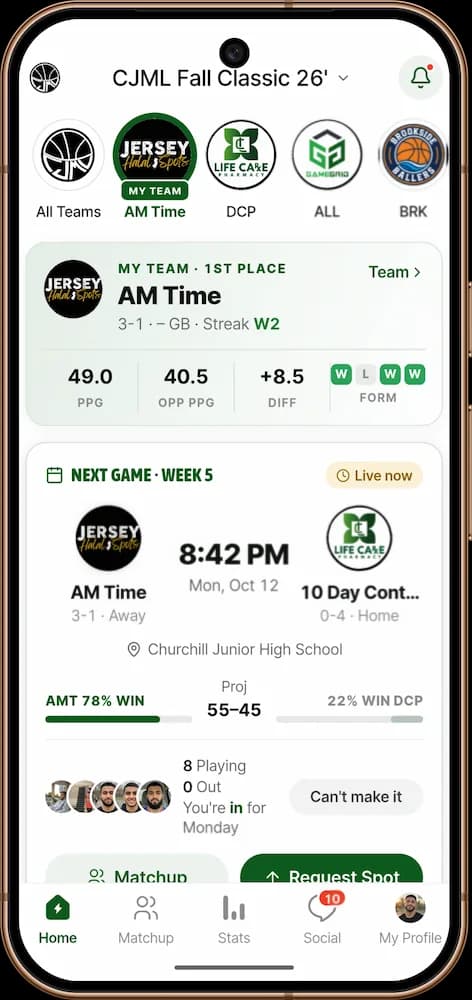
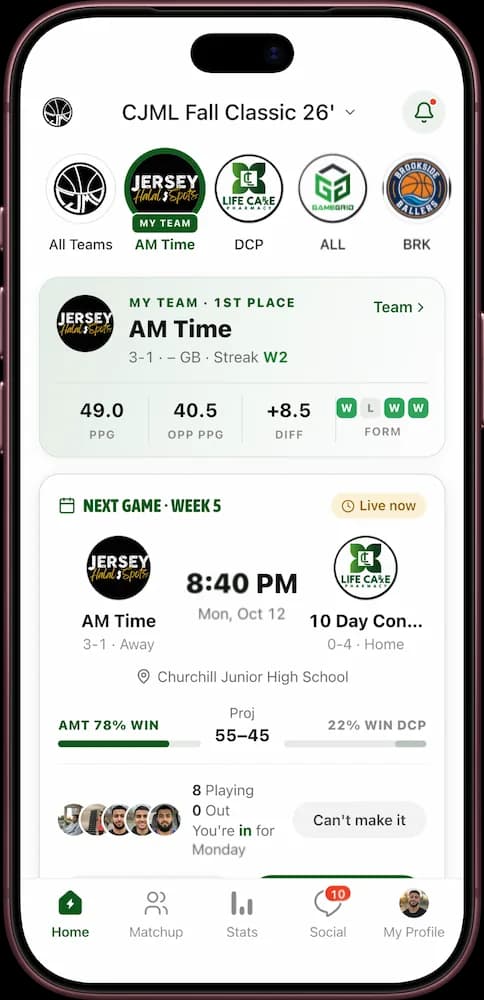
GameGrid's Stat Keeper is a flag football stat tracker built for leagues. Log passes, catches, carries, touchdowns and flag pulls from the sideline on an iPad, and leaders, standings and player cards update live on every player's phone.
How it works
Tap a player. Tap a stat.
The Stat Keeper is part of the GameGrid app. Set up your league on the web dashboard, then hand the iPad to whoever keeps the book on the sideline.
- 01
Open the Game
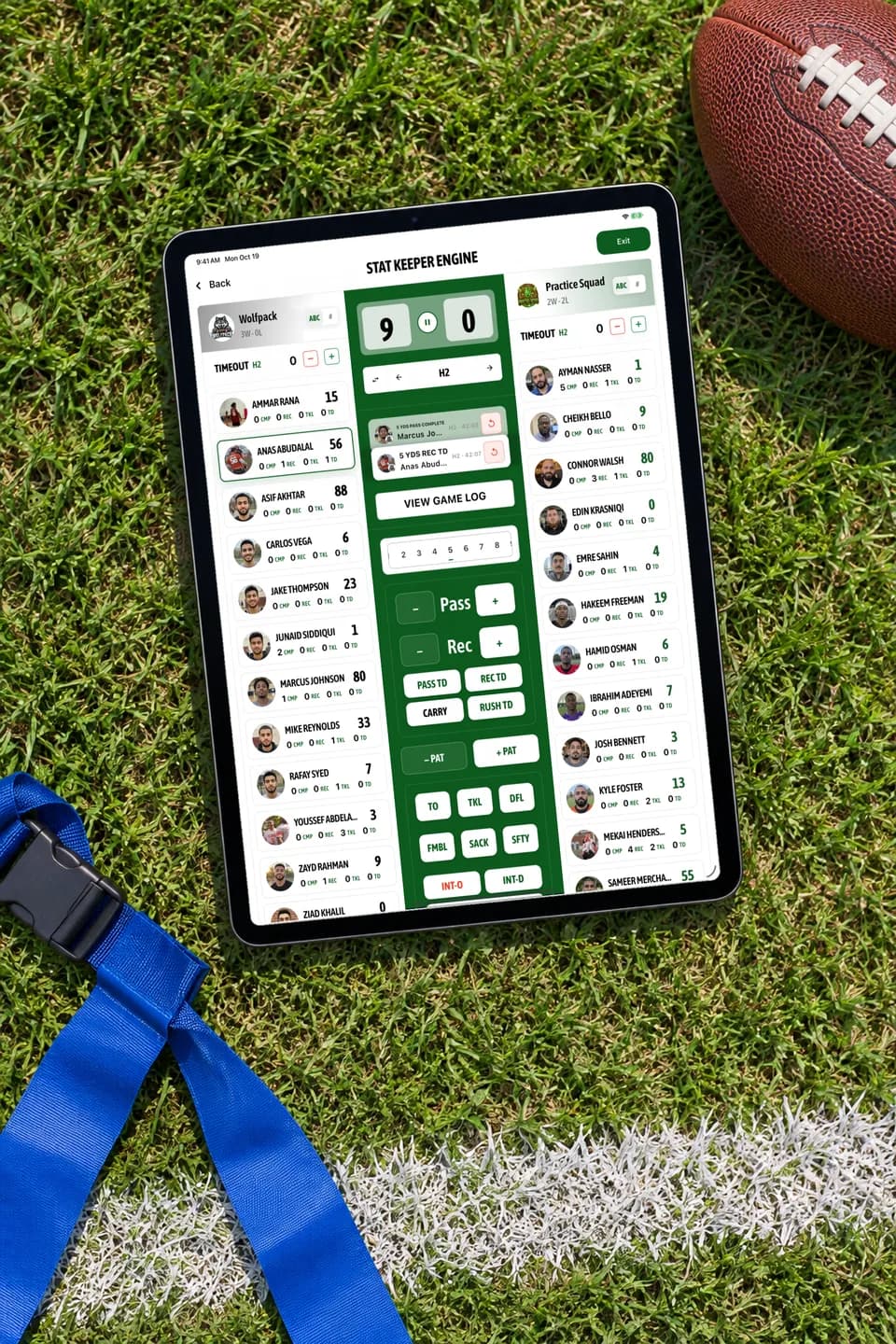
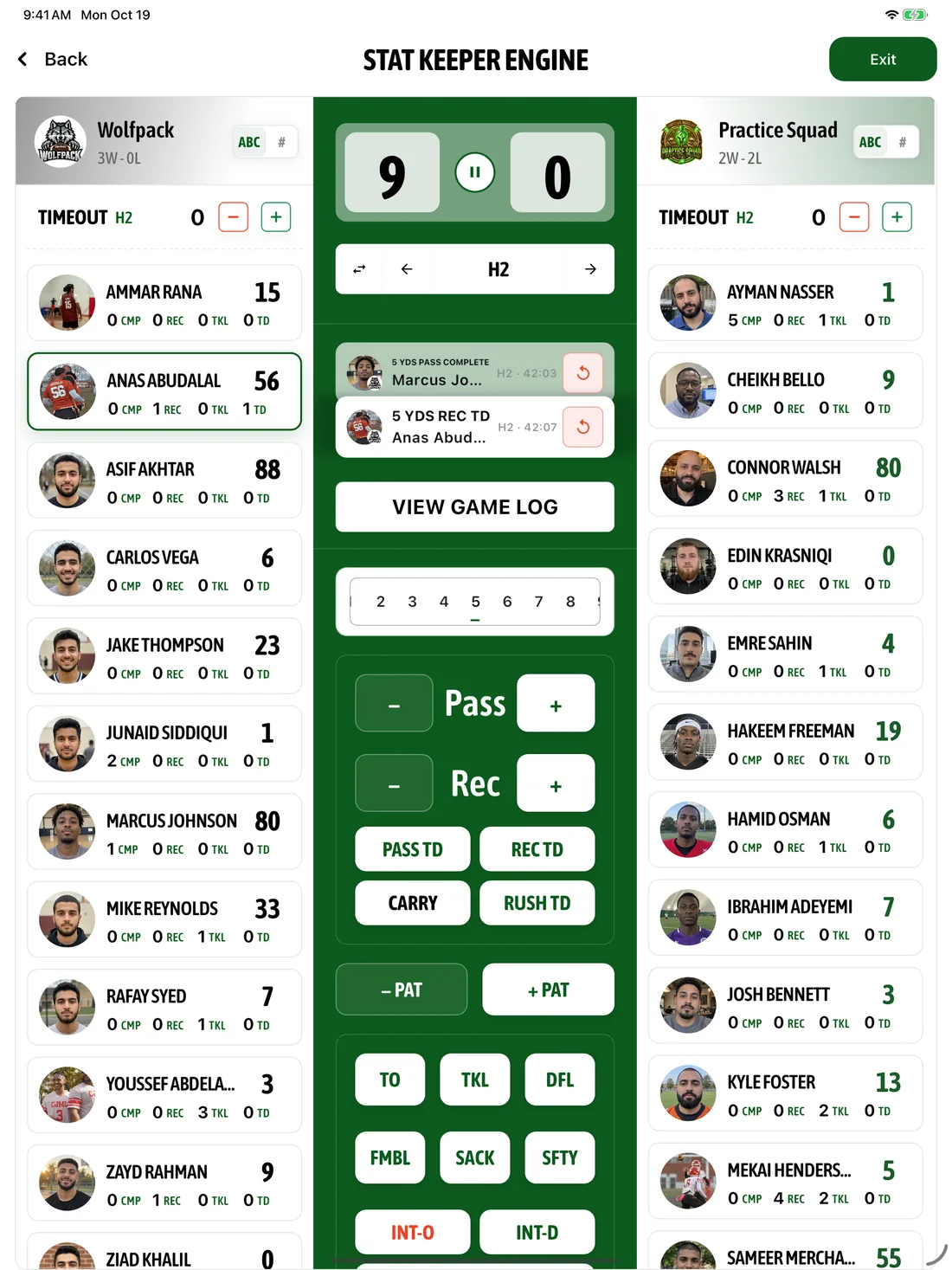
Anyone with the Keep stats power taps the game, then Open Stat Keeper. It runs on an iPad or an opened foldable phone.
- 02
Set the Yards
Spin the yards wheel to the gain on the play. Leagues that don't track yards turn the wheel off.
- 03
Tap a Player, Tap the Play
A complete or incomplete pass, a catch or a drop, a carry, a touchdown or an extra point. On defense: flag pulls, sacks, deflections, fumbles, safeties, interceptions and pick-sixes.
- 04
Everyone Sees It Live
Every tap updates the score, the leaders and the player cards on every player's phone.
The buttons
Passes and catches, complete or not, carries, passing, receiving and rushing touchdowns and extra points on offense. Flag pulls, sacks, deflections, fumbles, interceptions, pick-sixes and safeties on defense.
On the Stat Keeper
- Pass ±
- Rec ±
- Pass TD
- Rec TD
- Carry
- Rush TD
- PAT
- Tackle
- Deflection
- Fumble
- Sack
- INT
- Pick 6
- Safety
Passing
- YDS
- Passing yards
- TD
- Passing touchdowns
- COMP
- Completions
- INT
- Interceptions thrown
Rushing & receiving
- YDS
- Rushing and receiving yards
- TD
- Rushing and receiving TDs
- REC
- Receptions
- CAR
- Carries
Defense
- TKL
- Tackles (flag pulls)
- SACK
- Sacks
- INT
- Interceptions
- PCK6
- Pick-sixes
Yards, your call
Track yards, or skip them.
Some leagues have a spotter on every snap and some don't. The Stat Keeper works either way.
Yards on Every Play
Spin the wheel from 0 to 100 and the yards go on the pass, catch, carry or touchdown you log next. Passing, rushing and receiving yards add up on their own.
Or Keep It Simple
Turn off Track Yards in the app under Quick Manage League → Rules & Standings and the wheel goes away. Stats stick to completions, catches, touchdowns and picks.
Fix a Play's Yards
Logged the wrong gain? Edit Game Log in the app fixes a play's player, stat or yards after the fact.
On the sideline
Defense counts too.
Flag pulls, picks and pass breakups are what defenders play for. They land on the same box score as the touchdowns.
Interceptions Both Ways
INT-D gives the defender the pick and INT-O charges the passer who threw it. A pick returned for a score is a Pick 6.
Undo in One Tap
The last two plays sit in the middle of the screen with an undo button, and View Game Log opens every play of the game.
Timeouts by Half
Each team's timeouts sit at the top of its column, counted half by half, with a plus and minus to keep them right.
What players see
Live on every phone.
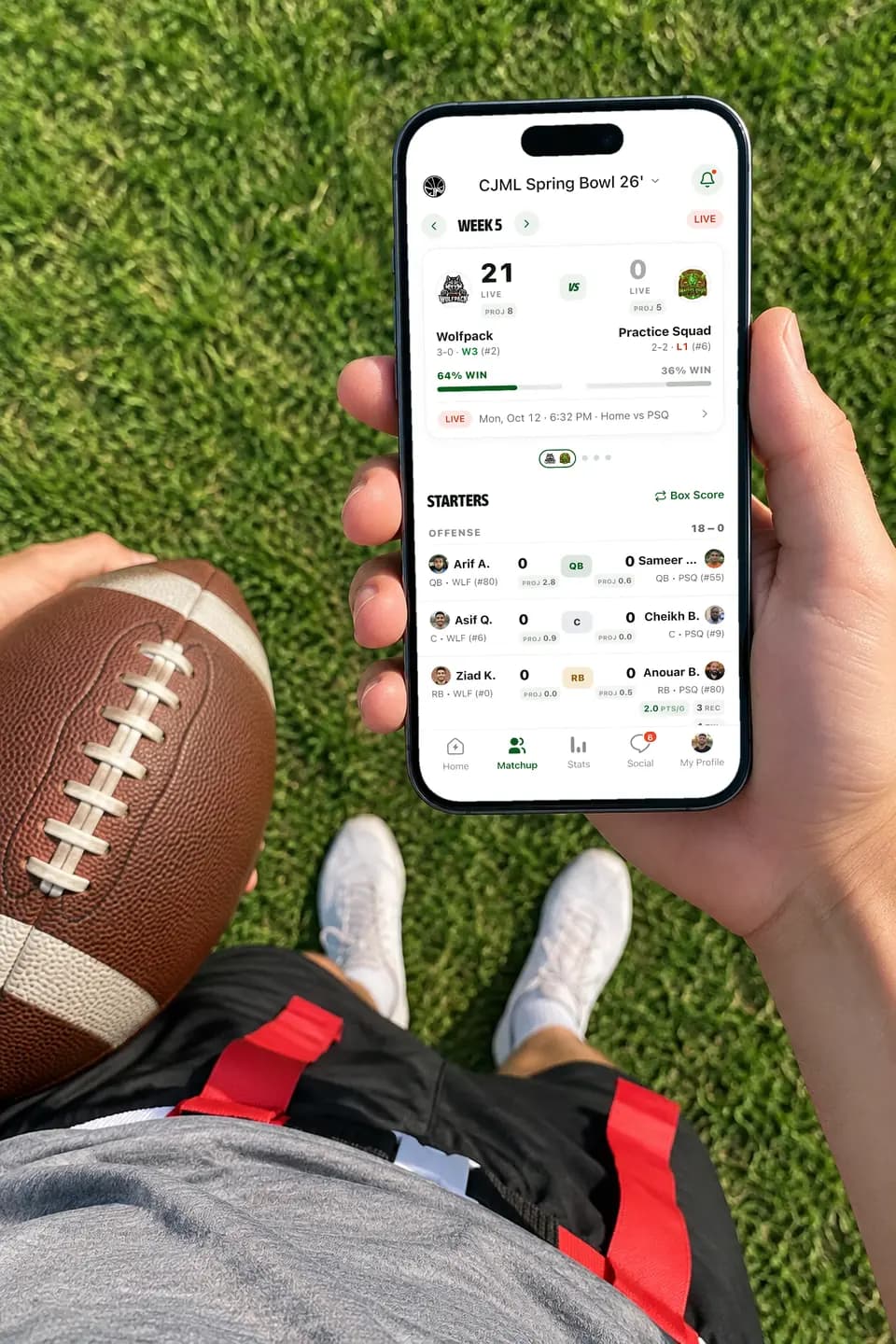
Players, captains and fans follow every game in the free GameGrid app on iPhone and Android, while it's being played.
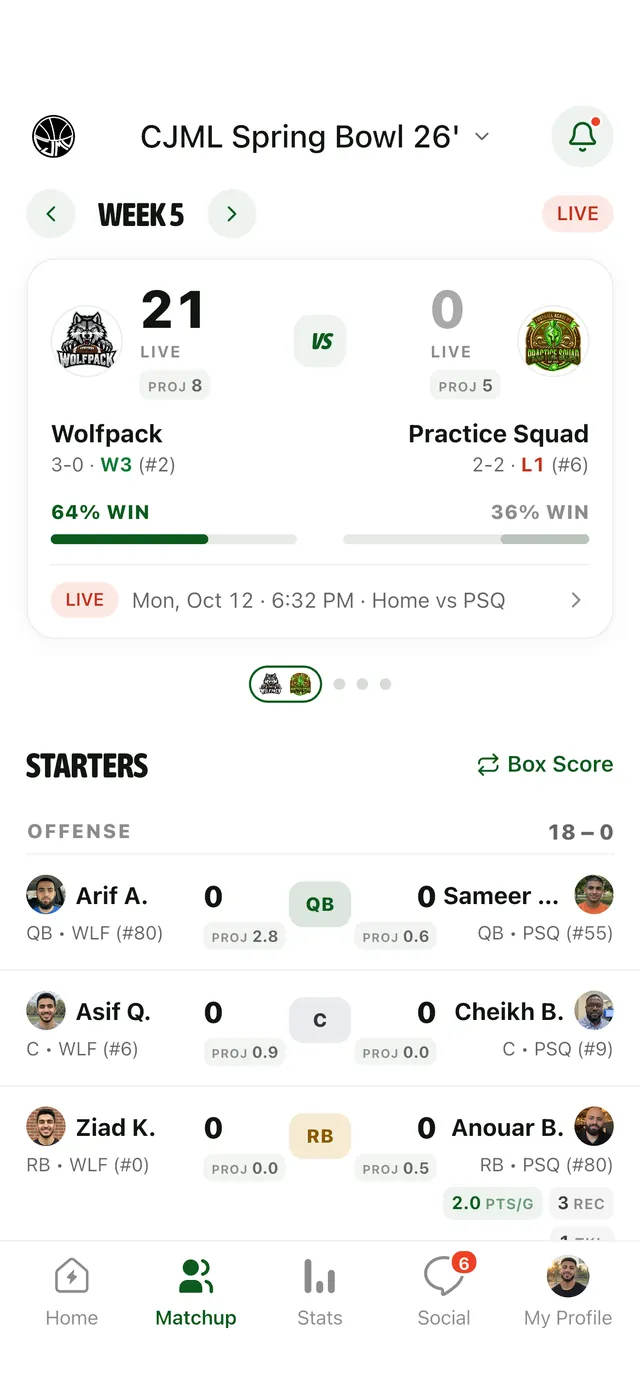
Live matchup
Starters by position with live points.
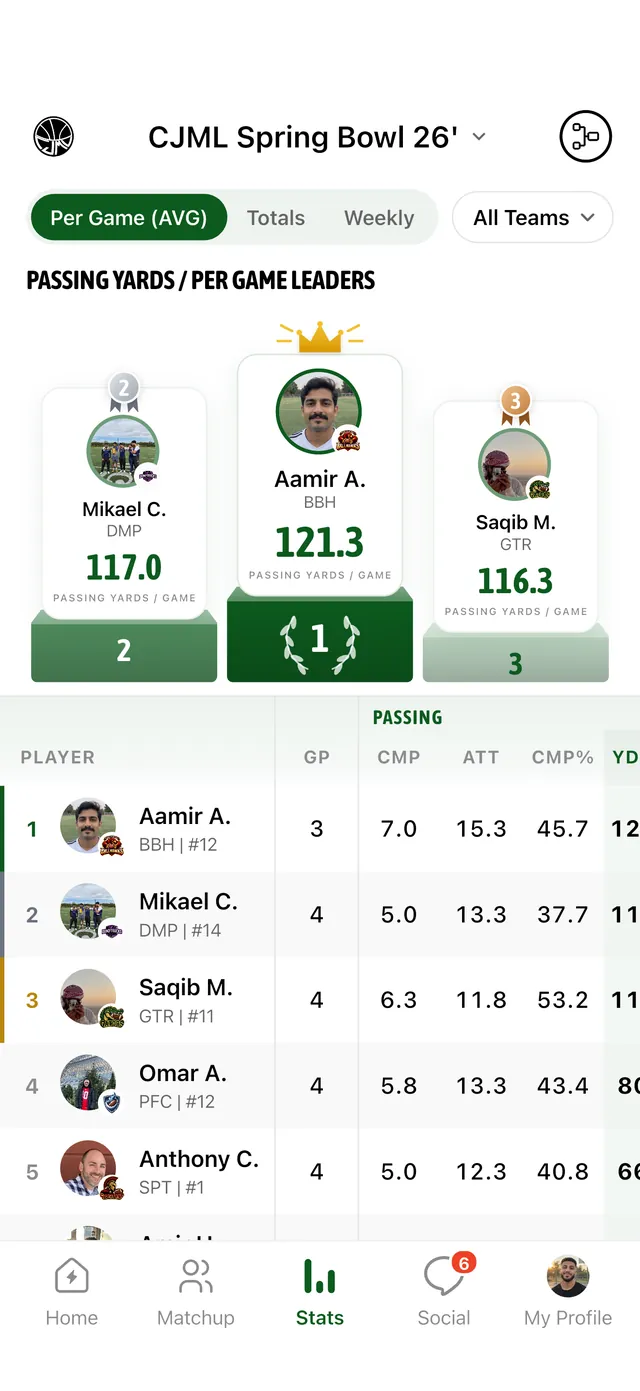
Passing leaders
Yards per game, touchdowns and completions.
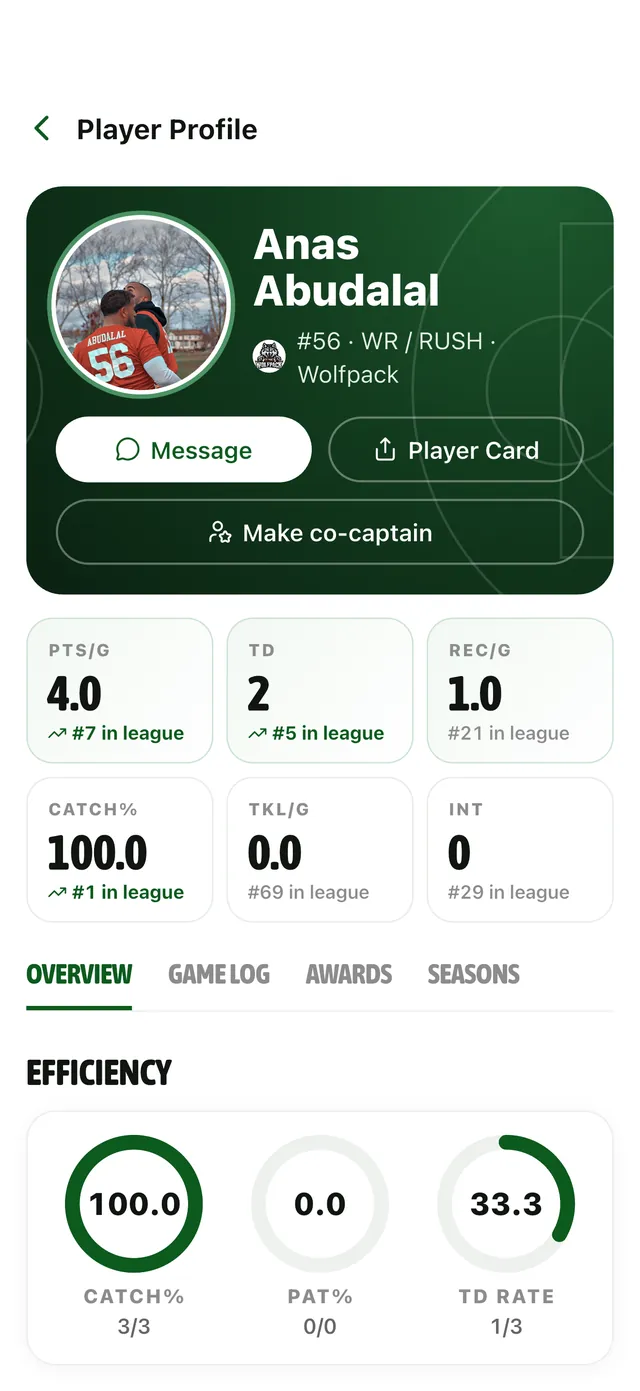
Player card
Catch rate, touchdowns and game logs.
Standings
Team standings update after every final, with head-to-head tiebreakers, plus player standings in every stat.
Passing, Rushing and Receiving Leaders
Weekly and season leaders on offense and defense, each with a podium for the top three.
Badges and Player of the Week
Gunslinger, Air Raid, Flag Snatcher and Pick Six are earned from the box score, and GameGrid picks each week's Player of the Week (or you do).
After the final
Missed one? Fix it after.
Nobody keeps a perfect book. Every play is in the game log, so a correction is a quick edit, not a rebuilt stat sheet.
Add Stat
Add the stats the stat keeper missed from the game page on the web dashboard, for several players at once.
Stat Corrections
The game log lists every play. Change a play's stat or player, or delete it, and the box score updates right away. In the app, it's Edit Game Log.
Wrong Player
Tapped the wrong player? Mark them DNP and give their stats to a teammate (the score stays), or erase their stat line.
Forgot to End It
A live game nobody updates for 3 hours ends on its own with the score as it stood. Fix anything after on the game page.
Built for leagues
Made for a league, not one team.
Every game in your league is kept the same way, so each box score feeds the same standings, leaderboards and player cards, all season long.
A Scorer's Table You Can Share
Invite a co-manager by email and give them only the Keep stats power. A volunteer can run the Stat Keeper while the rest of your league stays view-only for them.
Schedules in One Go
Build a round robin with byes, fields and game times, then bring the whole season in with Import Schedule.
Free schedule generatorPlayoffs and Tournaments
Playoff brackets update as games finish, and tournaments get live stats for every game, from pool play to the final.
See tournamentsFlag Football, Start to Finish
Every stat GameGrid tracks for flag football, the leaders and the screens players see.
GameGrid for flag footballStarting a flag football league?
Rules, fields, fees, registration and the schedule, step by step. Then run it all in one app with online registration and payments.
Stat Keeper questions
Before the first snap.
What flag football stats can I track?
Passing yards, touchdowns, completions and interceptions thrown; rushing and receiving yards and touchdowns, receptions and carries; extra points; and on defense, flag pulls, sacks, deflections, fumbles, interceptions, pick-sixes and safeties.
Do I have to track yards?
No. Track Yards is a switch in the app under Quick Manage League → Rules & Standings. With it off, the yards wheel goes away and stats stick to completions, catches, touchdowns and picks.
Does the Stat Keeper work on a phone?
The Stat Keeper opens on an iPad or an opened foldable phone. On a regular phone the same button is Edit Game Log, so you can still add and fix plays from there. Players follow along in the app on iPhone and Android.
Can I fix a play after the game?
Yes. In the app, Edit Game Log fixes a play's player, stat or yards. On the web dashboard, Add Stat covers plays the stat keeper missed and Stat Corrections lists every play to change or delete. The box score updates right away.
Does it work for tackle football too?
Yes. The football Stat Keeper covers flag and tackle leagues. The tackle button logs flag pulls in flag football and tackles in tackle football.
How do I start a flag football league?
Pick your rules and divisions, book fields, set fees from a budget, open registration with a waiver, then build the schedule. Our guide walks through each step: how to start a flag football league.
Get the app
Flag football,
kept live.
Players and captains: download GameGrid on iPhone, iPad or Android. Managers: start your league on the web.