Stat Keeper for soccer
Soccer stats,kept on thesideline.
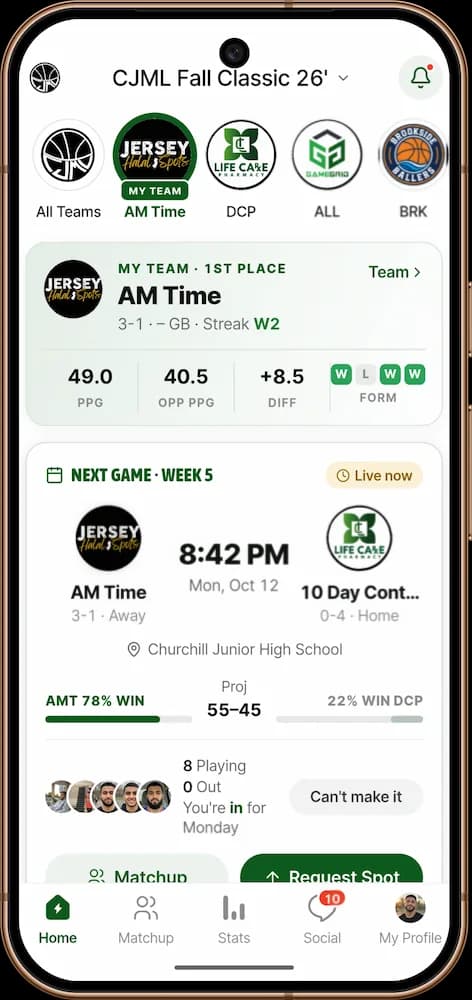
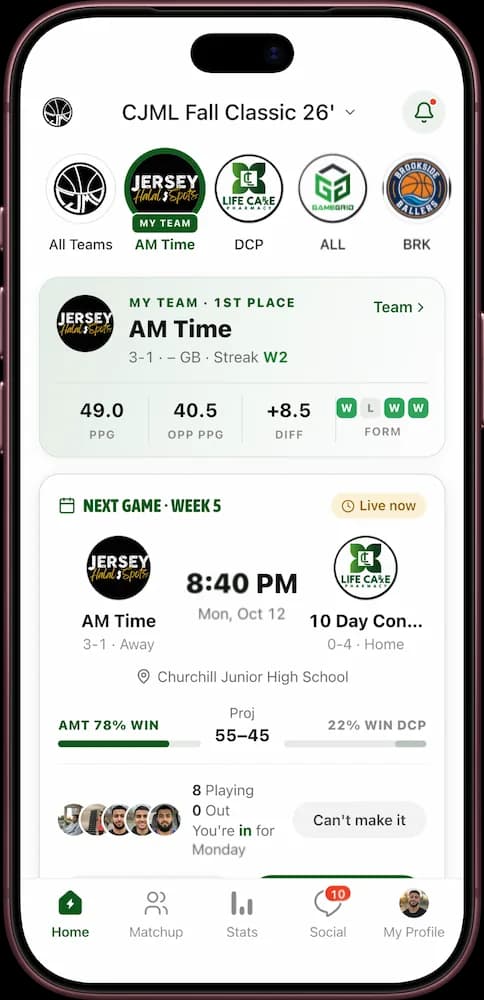
GameGrid's Stat Keeper is a soccer stats app built for leagues. Tap a player, then a goal, shot, save or card on an iPad, and the score, the standings and the Golden Boot race update live on every player's phone.
How it works
Tap a player. Tap a stat.
The Stat Keeper is part of the GameGrid app. Set up your league on the web dashboard, then hand the iPad to whoever keeps the book at kickoff.
- 01
Open the Game
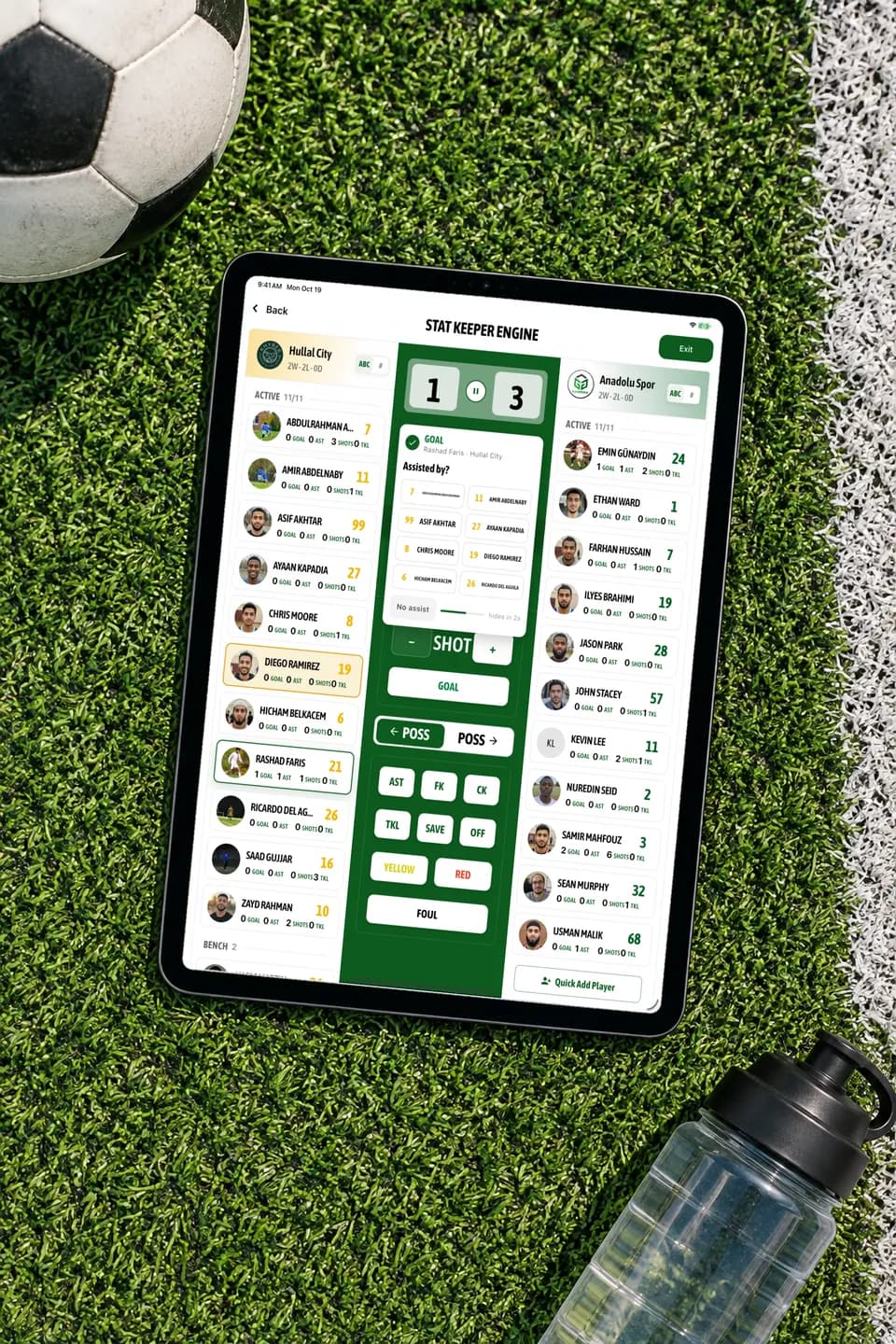
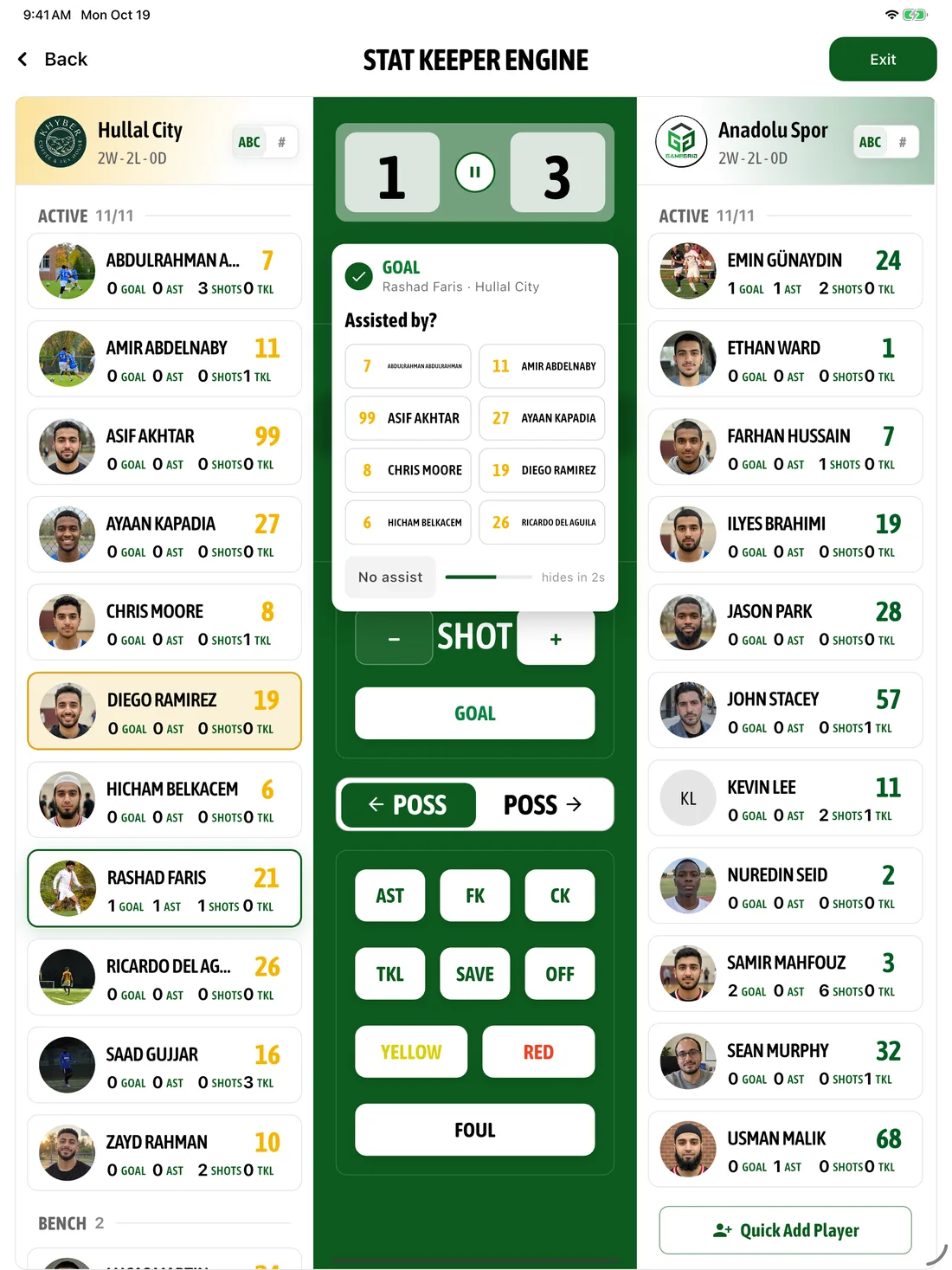
Anyone with the Keep stats power taps the game, then Open Stat Keeper. It runs on an iPad or an opened foldable phone.
- 02
Tap a Player, Tap a Stat
Each team has its own column of player cards. Tap a player, then a shot on or off target, a goal, an assist, a save, a tackle, a free kick, a corner, an offside, a foul or a card.
- 03
Answer the Popup
After a goal, a box asks who assisted. Tap the teammate who set it up, or No assist, and play on.
- 04
Everyone Sees It Live
Every tap updates the score, the standings and the leaderboards on every player's phone.
The buttons
Shots on and off target, goals, assists, saves, tackles, free kicks, corners, offsides, fouls and cards, with a possession toggle to follow the flow. The box score works out shot accuracy and conversion.
On the Stat Keeper
- Shot ±
- Goal
- Assist
- Save
- Tackle
- Free kick
- Corner
- Offside
- Foul
- Yellow
- Red
- Possession
- Sub in / out
Attacking
- G
- Goals
- A
- Assists
- SH
- Shots
- ACC
- Shot accuracy and conversion
Defending & keeping
- TKL
- Tackles
- SV
- Saves
- FK
- Free kicks
- CK
- Corners
Discipline
- F
- Fouls
- OFF
- Offsides
- YC
- Yellow cards
- RC
- Red cards
Assists and cards
The assist, caught every time.
A goal is only half the story. Right after it, a short popup asks who set it up, so assists never get lost on a busy sideline.
Assisted by?
After a goal, the popup lists the scorer's teammates. Tap the one who made the pass, or No assist if nobody did.
Yellow and Red
A yellow card turns the player's card yellow. A red card, or a second yellow, turns it red, so the stat keeper sees who's off at a glance.
Possession
A possession toggle sits under the goal button. Tap the side that has the ball to keep the flow of the game.
Your League, Your Timing
The assist popup is on or off and stays up for 2 to 15 seconds, 5 by default. A finger on it pauses it. Change it on the web dashboard under Settings → General, or in the app under Quick Manage League → Stat Keeper.
Subs and walk-ons
Run the whole bench.
Rec soccer comes with rolling subs, late arrivals and walk-ons. The Stat Keeper handles them from each team's column.
Active and Bench
Each team has Active and Bench lists. Press and hold a player's card to Sub Out or Sub In, Move to Bench or Make Active, or mark them DNP.
Minutes Played
Time played counts while the game clock runs, and it shows on every player's stat line.
Quick Add for Walk-Ons
Someone shows up who isn't on the roster? Quick Add Player puts them on the team by name. Merge them into their real account later and their stats go with them.
What players see
Live on every phone.
Players, captains and fans follow every game in the free GameGrid app on iPhone and Android, while it's being played.
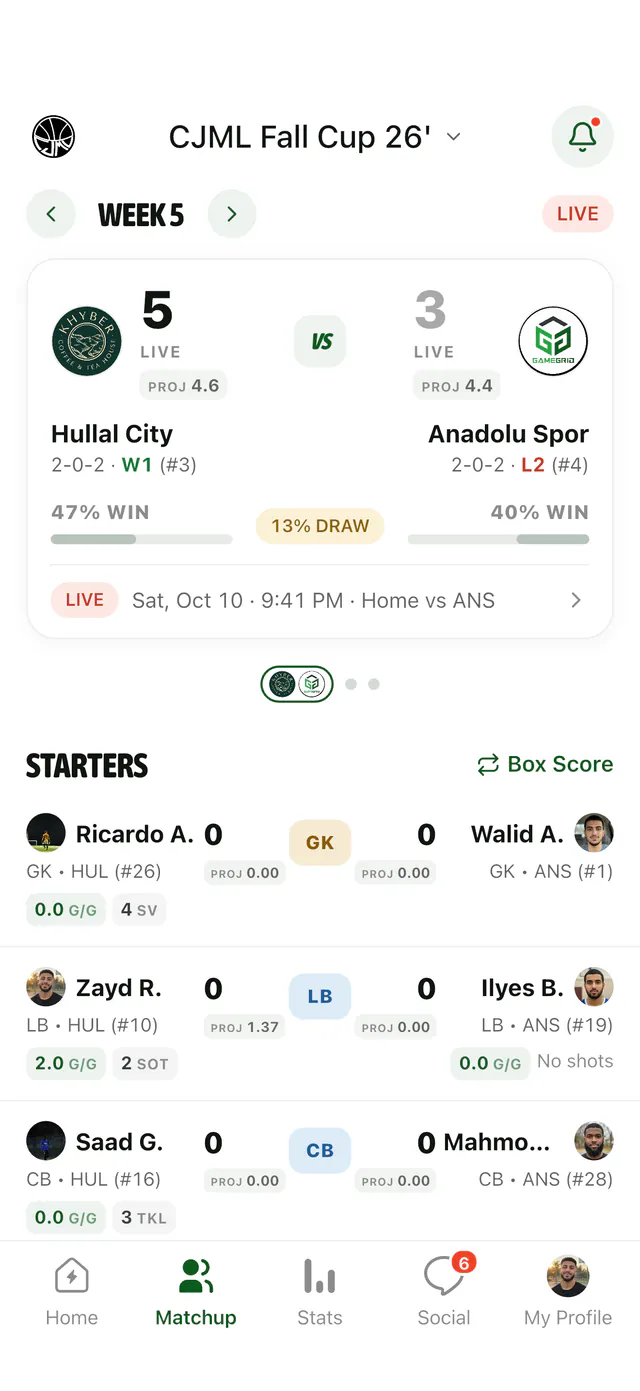
Live matchup
Starters by position with live points.
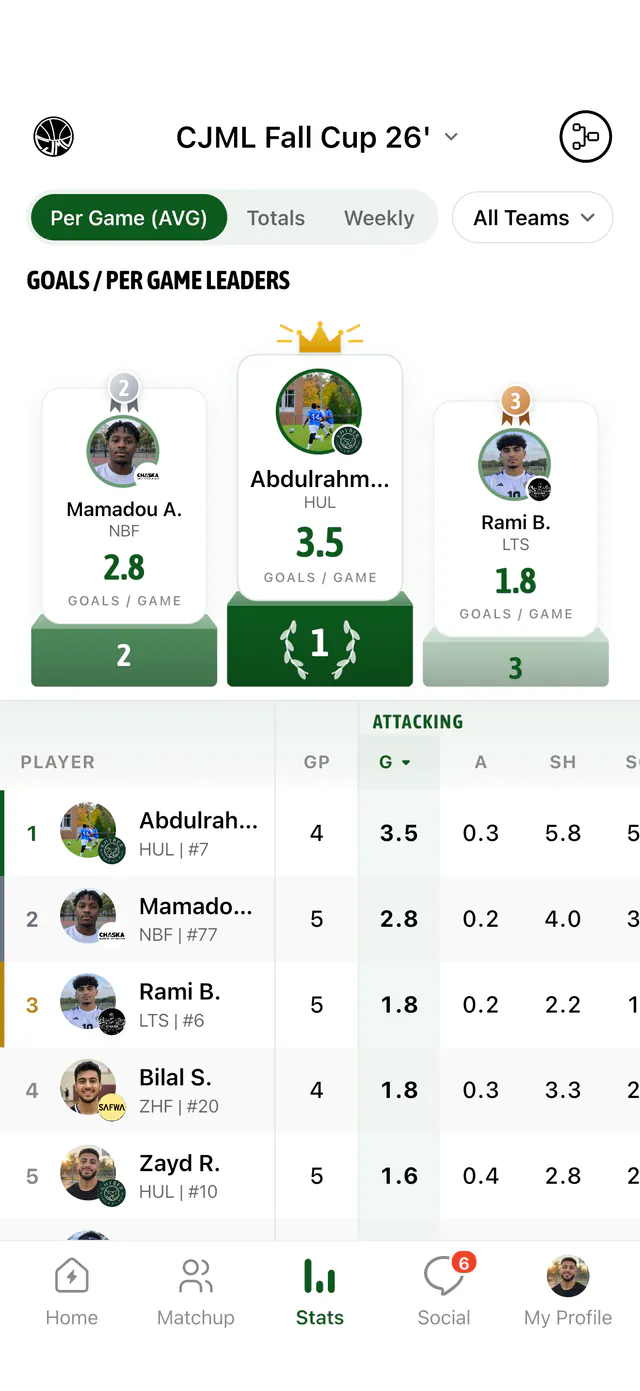
Golden Boot
Goals per game leaders, live.
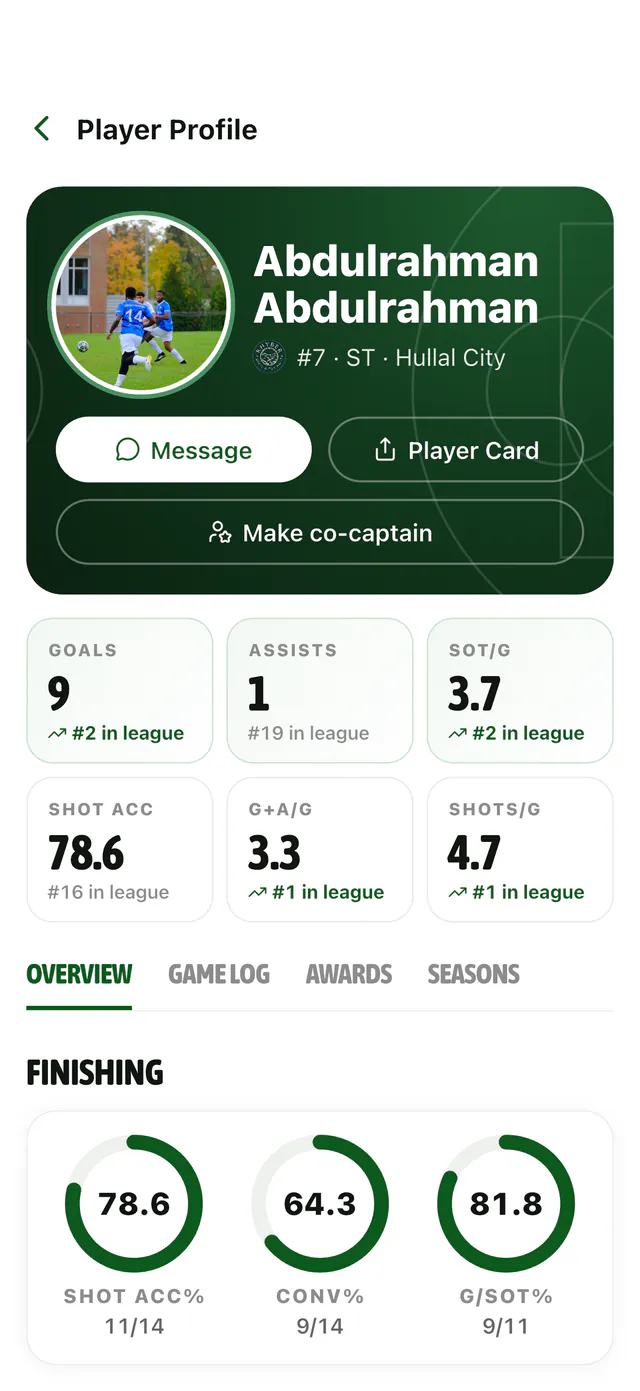
Player card
Goals, assists, shot accuracy and conversion.
A Real League Table
Soccer tables rank by points, 3 for a win and 1 for a draw, then the tiebreakers you put in order. Player standings cover every stat.
The Golden Boot Race
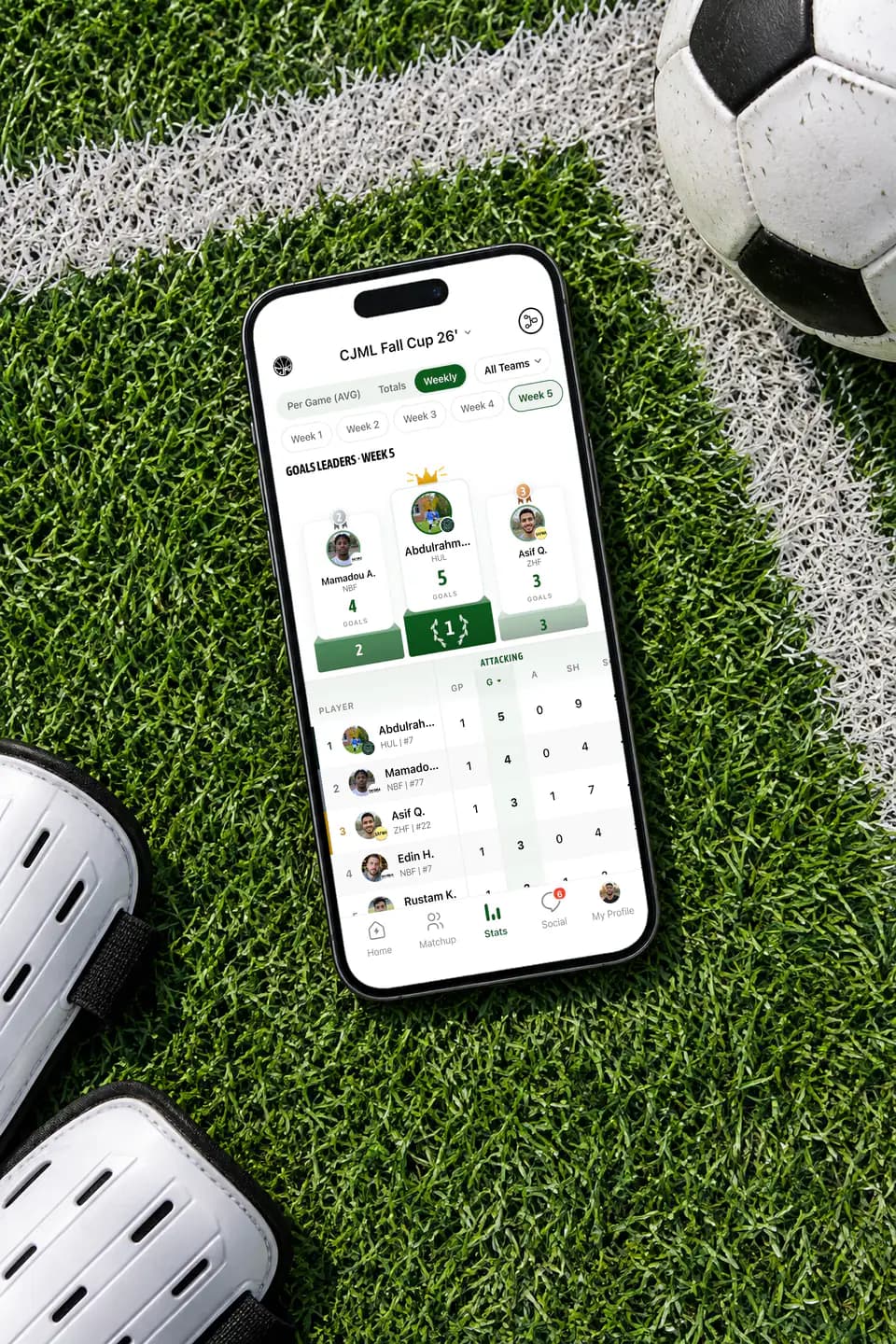
Goals per game, totals and weekly leaders, with a podium for the top three. Every goal on the sideline moves it live.
Badges and Player of the Week
Hat Trick, Brace, The Wall and Ball Winner are earned from the box score, and GameGrid picks each week's Player of the Week (or you do).
After the final
Missed one? Fix it after.
Nobody keeps a perfect book. Every play is in the game log, so a correction is a quick edit, not a rebuilt stat sheet.
Add Stat
Add the stats the stat keeper missed from the game page on the web dashboard, for several players at once.
Stat Corrections
The game log lists every play. Change a play's stat or player, or delete it, and the box score updates right away. In the app, it's Edit Game Log.
Wrong Player
Tapped the wrong player? Mark them DNP and give their stats to a teammate (the score stays), or erase their stat line.
Forgot to End It
A live game nobody updates for 3 hours ends on its own with the score as it stood. Fix anything after on the game page.
Built for leagues
Made for a league, not one team.
Every game in your league is kept the same way, so each box score feeds the same standings, leaderboards and player cards, all season long.
A Scorer's Table You Can Share
Invite a co-manager by email and give them only the Keep stats power. A volunteer or a coach can run the Stat Keeper while the rest of your league stays view-only for them.
Schedules in One Go
Build a round robin with byes, fields and kickoff times, then bring the whole season in with Import Schedule.
Free schedule generatorPlayoffs and Tournaments
Playoff brackets update as games finish, and tournaments get live stats for every game, from pool play to the final.
See tournamentsSoccer, Start to Finish
Every stat GameGrid tracks for soccer, the Golden Boot race and the screens players see.
GameGrid for soccerRunning the whole league?
Registration with online payments, schedules, live stats, standings and team chat in one app. Start with the guide or see what the app does.
Stat Keeper questions
Before kickoff.
What soccer stats can I track?
Goals, assists, shots on and off target, saves, tackles, free kicks, corners, offsides, fouls, and yellow and red cards, plus minutes played from substitutions. The box score works out shot accuracy and conversion.
Does the Stat Keeper work on a phone?
The Stat Keeper opens on an iPad or an opened foldable phone. On a regular phone the same button is Edit Game Log, so you can still add and fix plays from there. Players follow along in the app on iPhone and Android.
Can I turn the assist popup off?
Yes. It's on or off and stays up for 2 to 15 seconds, 5 by default. Change it on the web dashboard under Settings → General, or in the app under Quick Manage League → Stat Keeper. Stat keepers get the change within a few seconds, even mid-game.
Does it track substitutions and minutes?
Yes. Each team has Active and Bench lists on the Stat Keeper. Sub players in and out with a press and hold, and their minutes count while the game clock runs.
How are soccer standings ranked?
By points: 3 for a win and 1 for a draw, then the tiebreakers you put in order, starting with head-to-head. Turn Allow Draws on or off in the app under Quick Manage League → Rules & Standings.
Is it for one team or a whole league?
GameGrid is built for leagues: the manager sets up the league and its teams, and every game feeds the same standings and leaderboards. A coach or volunteer can keep stats for games when the manager gives them the Keep stats power. See the rec league app for everything else a league runs on.
Get the app
Soccer,
kept live.
Players and captains: download GameGrid on iPhone, iPad or Android. Managers: start your league on the web.