Stat Keeper for pickleball
Pickleballstats, rallyby rally.
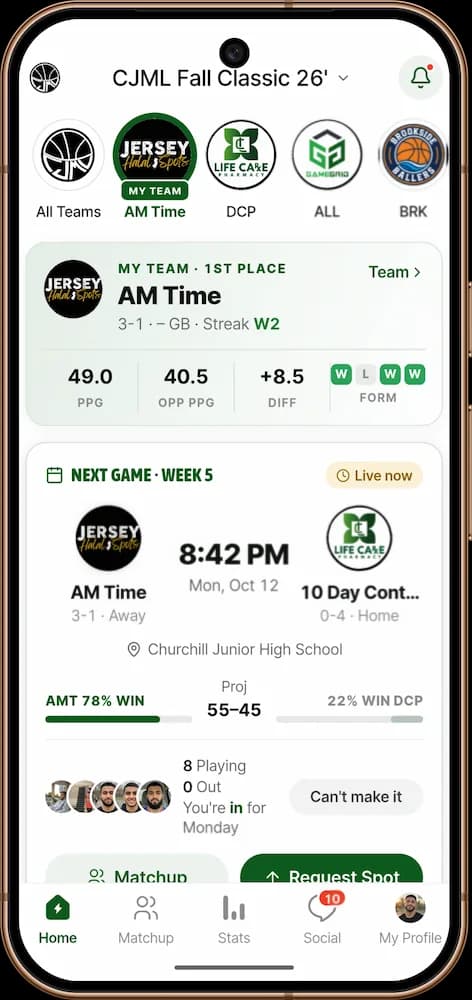
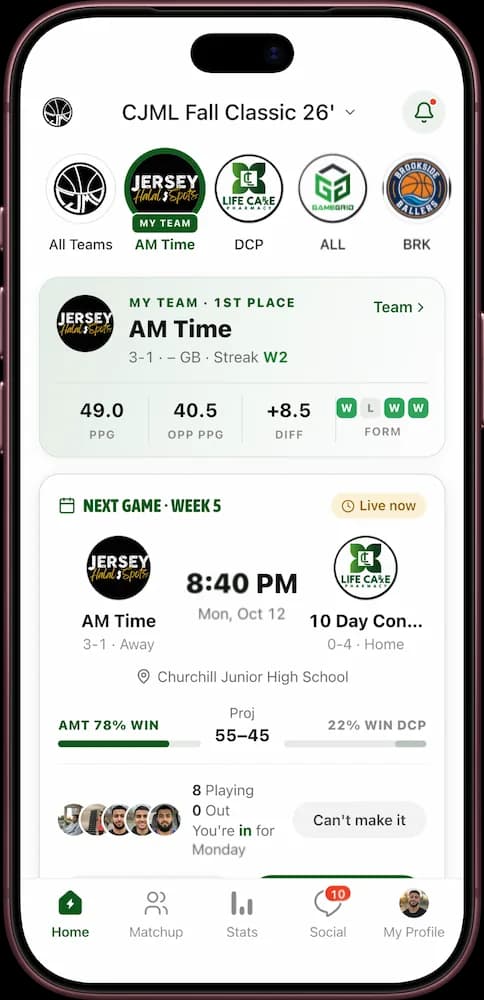
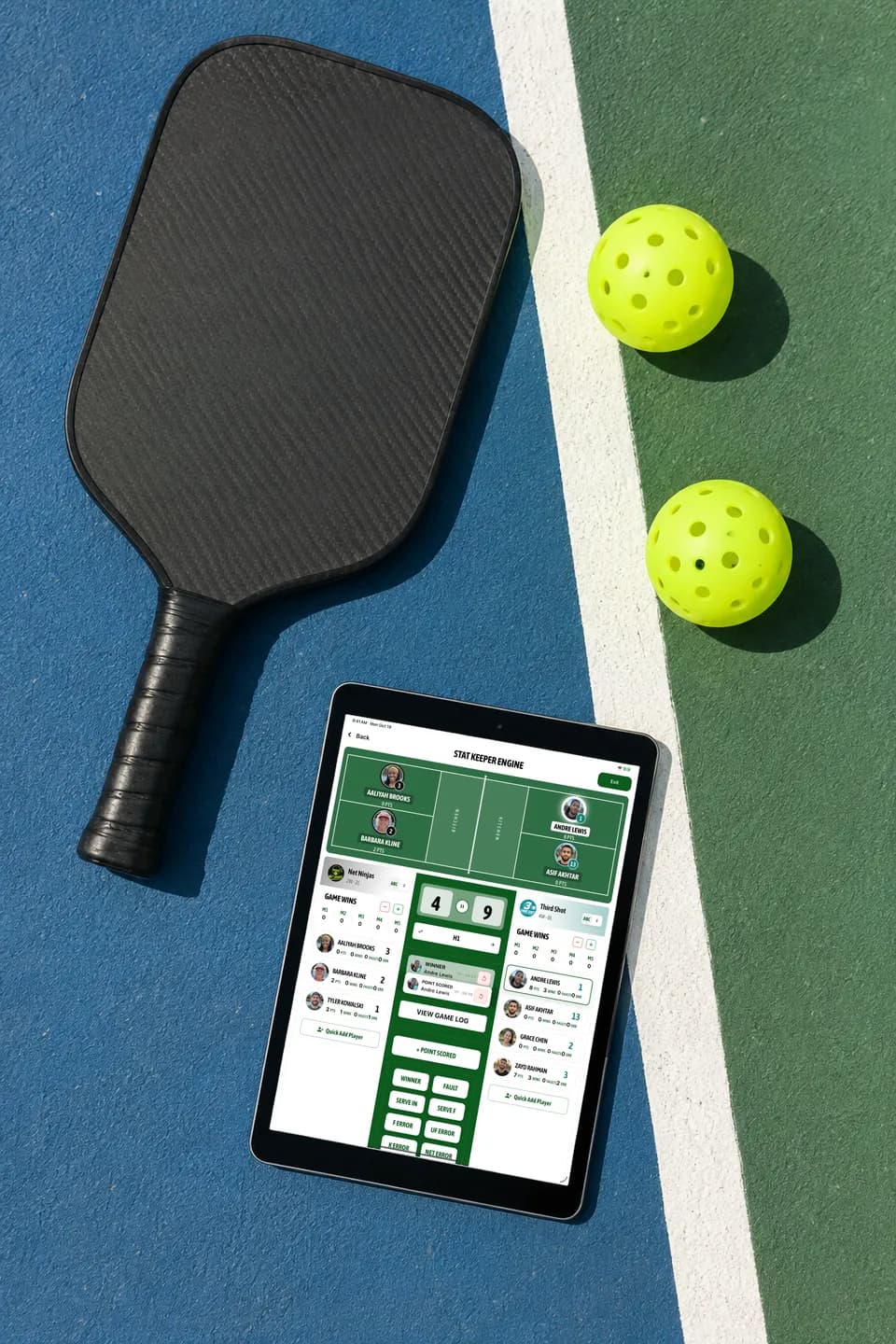
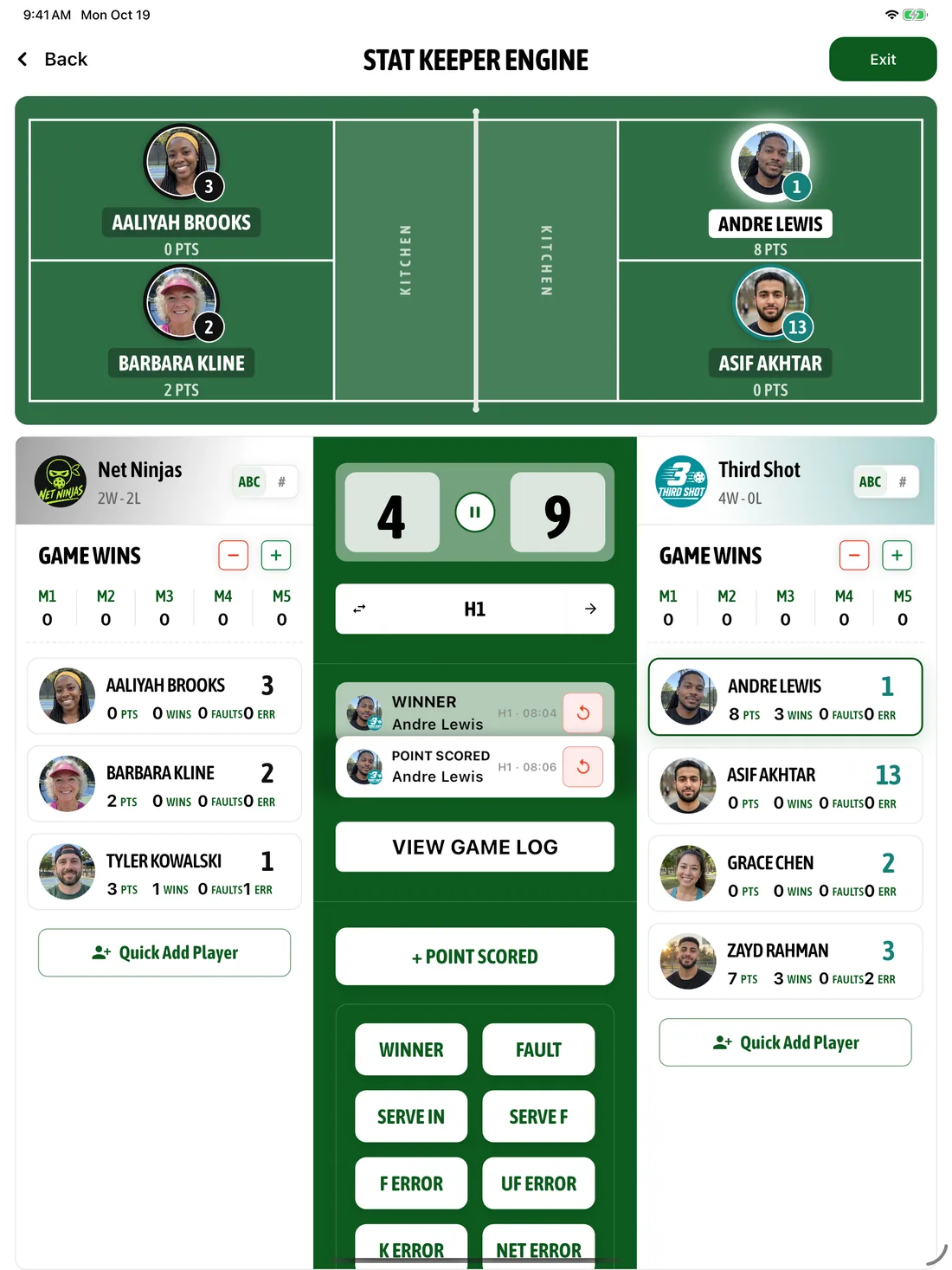
GameGrid's Stat Keeper is a pickleball stats app built for leagues. The court sits on the iPad with every player on it: tap a player, tag how the rally ended, and scores, leaders and player cards update live on every player's phone.
How it works
Tap a player. Tap a stat.
The Stat Keeper is part of the GameGrid app. Set up your league on the web dashboard, then hand the iPad to whoever keeps score courtside.
- 01
Open the Match
Anyone with the Keep stats power taps the game, then Open Stat Keeper. It runs on an iPad or an opened foldable phone.
- 02
Tap a Player on the Court
The court shows two players a side for doubles, or one for singles. Tap a player there, or their card in the team's column.
- 03
Tag How the Rally Ended
A point scored, a winner, a fault, a serve in or a serve fault, or a forced, unforced, kitchen or net error.
- 04
Everyone Sees It Live
Every tap updates the score, the leaders and the player cards on every player's phone.
The buttons
Points and winners, serves in and serve faults, faults, and forced, unforced, kitchen and net errors. The box score works out serve percentage, and game wins are kept match by match.
On the Stat Keeper
- Point scored
- Winner
- Fault
- Serve in
- Serve fault
- Forced error
- Unforced error
- Kitchen error
- Net error
- Game wins
Scoring
- PTS
- Points
- W
- Winners
- GW
- Game wins
Serving
- SRV
- Serves in
- SF
- Serve faults
- SRV%
- Serve percentage
Errors
- FE
- Forced errors
- UE
- Unforced errors
- K
- Kitchen errors
- NET
- Net errors
The court
Everyone on the court, on the iPad.
Pickleball moves fast. The court sits across the top of the Stat Keeper, so the stat keeper taps the player where they stand instead of hunting for a name.
Doubles or Singles
Two players a side for doubles, one in the middle for singles. The selected player gets a white ring so you know who you're tagging.
Pick Who's on Court
A team with more than two players? Press and hold a card and Pin Player puts them on the court.
Quick Add for Subs
Someone fills in who isn't on the roster? Quick Add Player puts them on the team by name. Merge them into their real account later and their stats go with them.
Game wins
Every game, match by match.
A night of pickleball is more than one score. Each team's game wins are kept match by match, so the result is never in doubt.
Game Wins, M1 to M5
Each team's column starts with its game wins for M1 to M5, with a plus and minus to count them.
Undo in One Tap
The last two plays sit in the middle of the screen with an undo button, and View Game Log opens every play of the match.
Each Player's Line
Every card shows points, winners, faults and errors as you go, so the stat keeper can check a player's night at a glance.
What players see
Live on every phone.
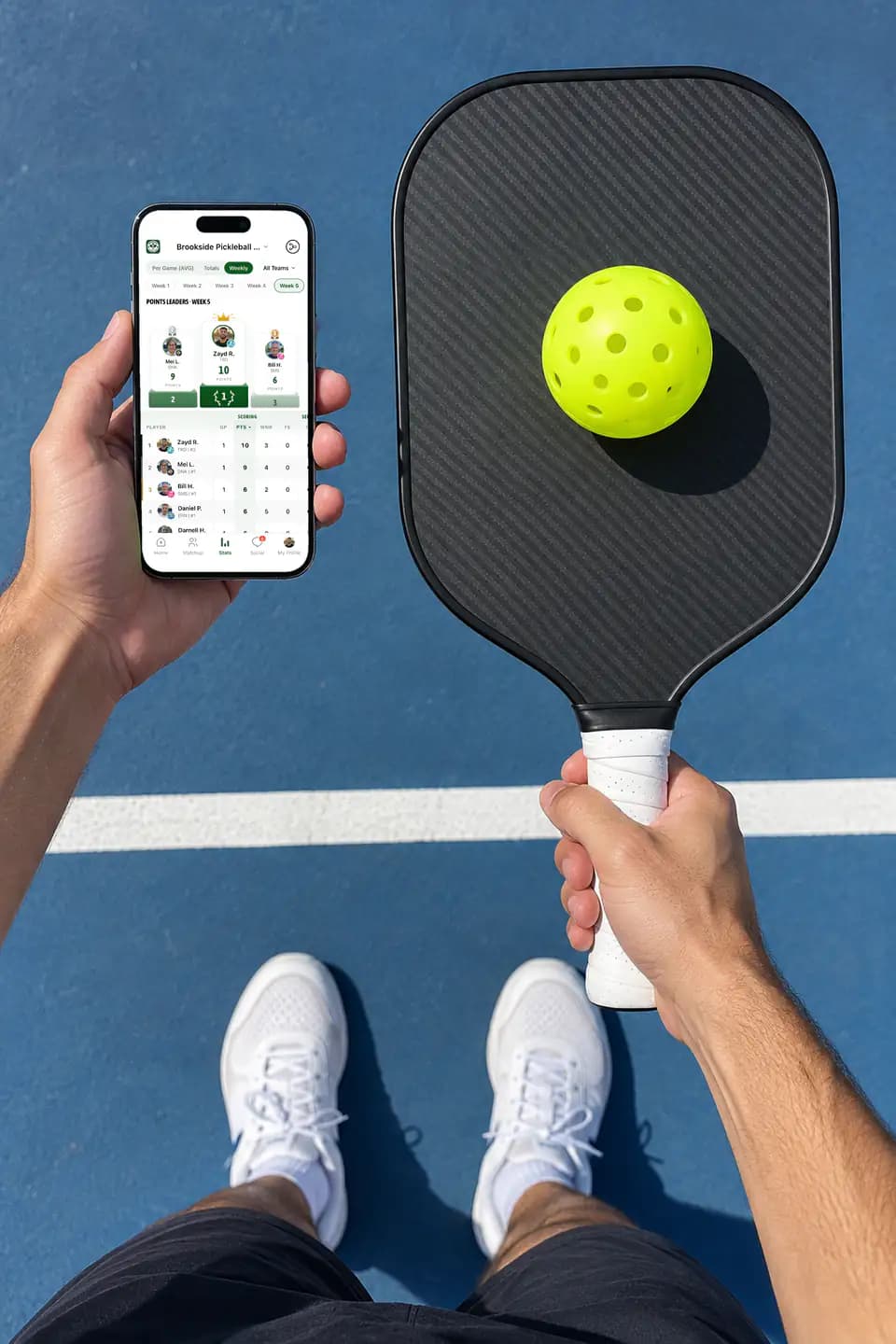
Players and fans follow every match in the free GameGrid app on iPhone and Android, while it's being played.
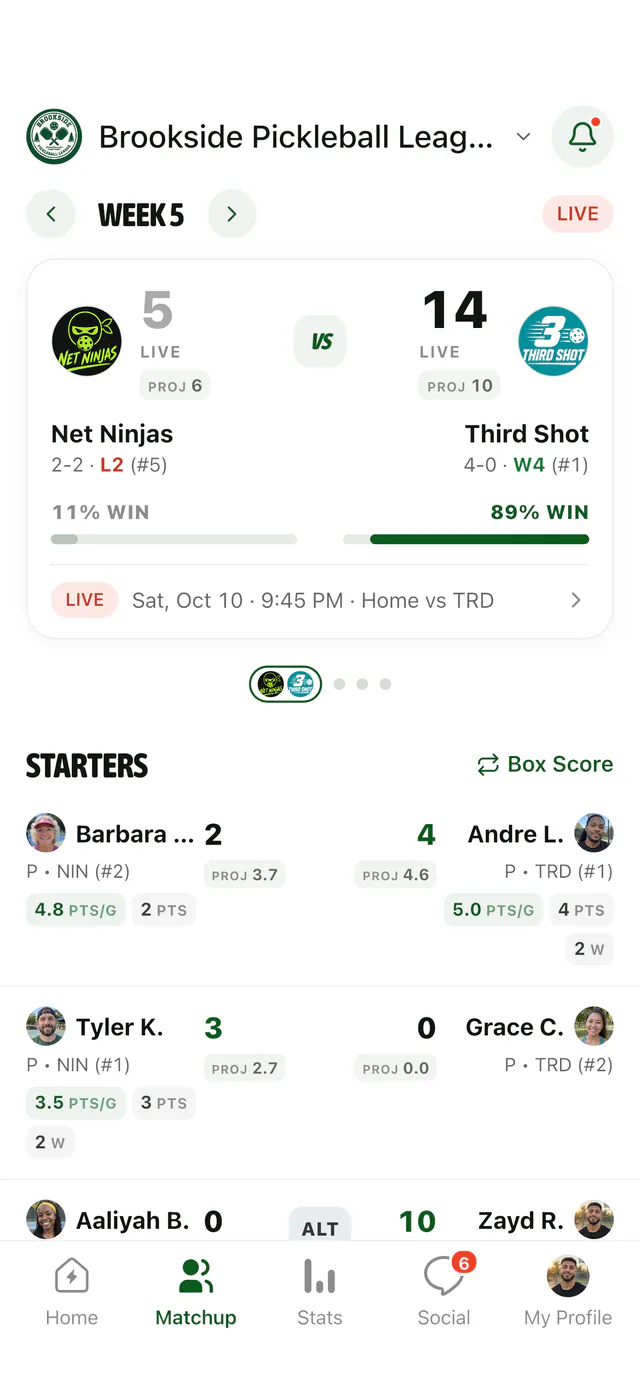
Live matchup
Head-to-head scores, live.
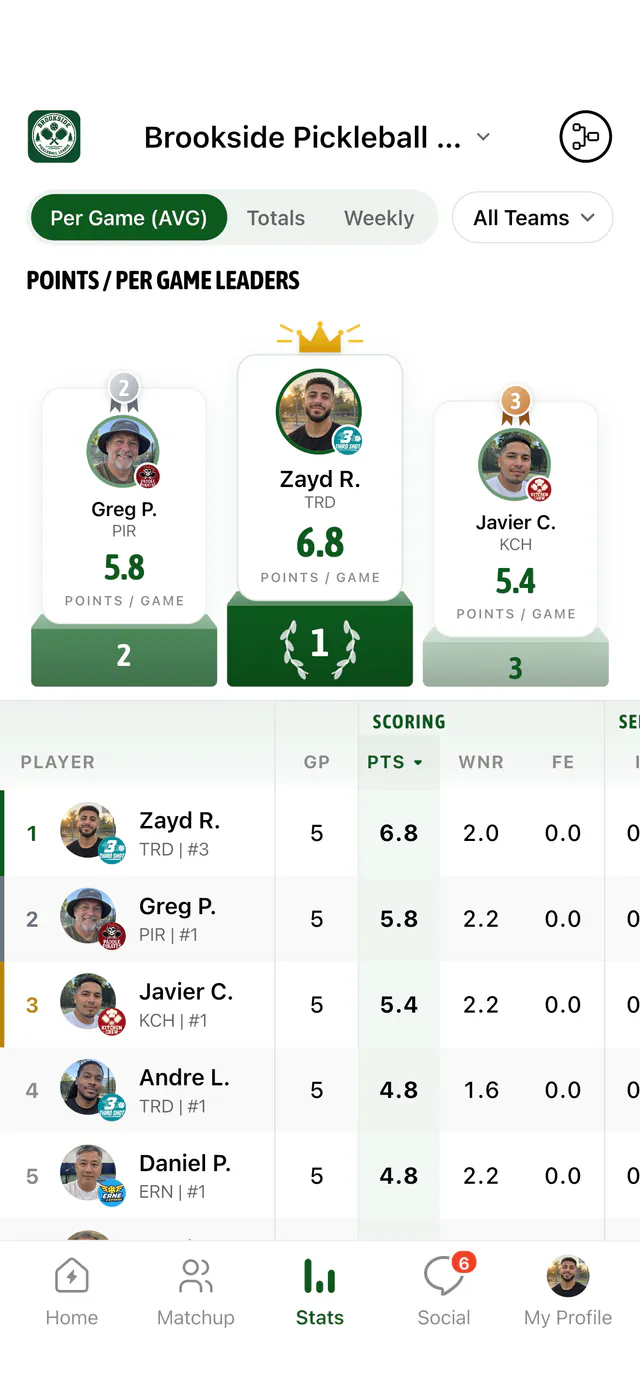
Leaders
Points per game, winners and game wins.
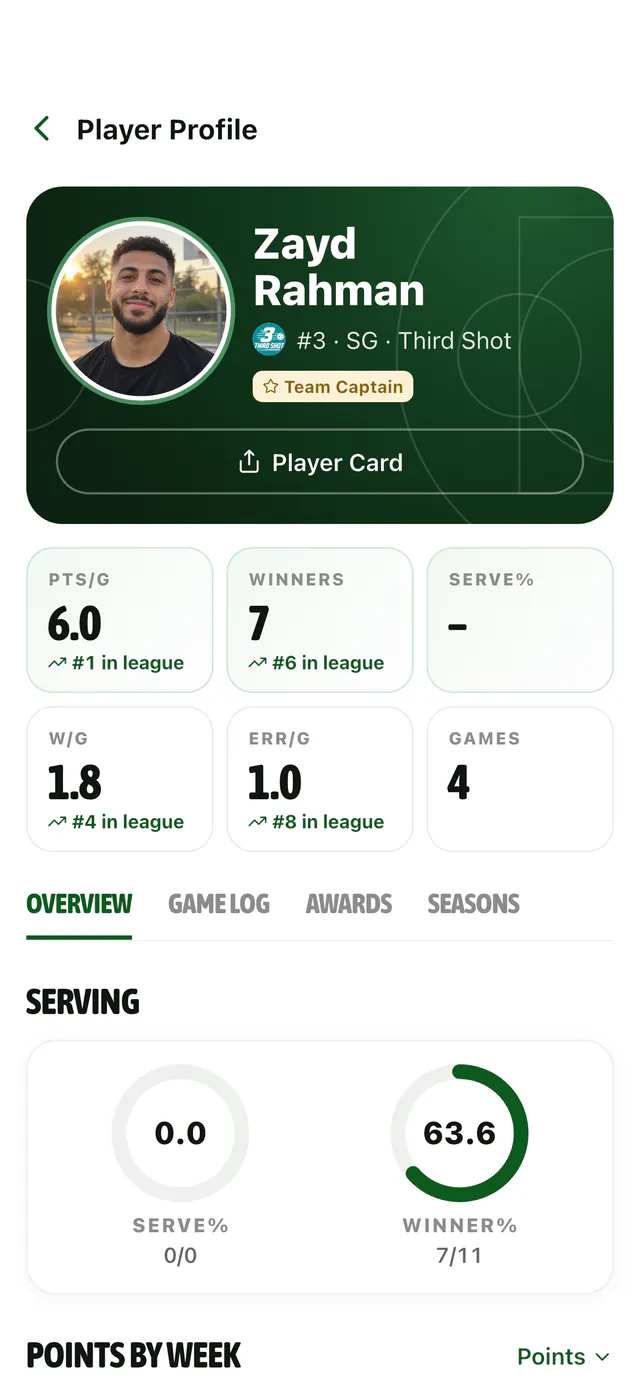
Player card
Points, winners and a serving breakdown.
Standings
Team standings update after every final, with head-to-head tiebreakers, plus player standings in every stat.
Weekly Points Leaders
Points, winners and game wins per week and per season, with a podium for the top three and a serving breakdown on every player card.
Badges and Player of the Week
Winner Winner, Smash Master and On a Roll are earned from the box score, and GameGrid picks each week's Player of the Week (or you do).
After the final
Missed one? Fix it after.
Nobody keeps a perfect book. Every play is in the game log, so a correction is a quick edit, not a rebuilt stat sheet.
Add Stat
Add the stats the stat keeper missed from the game page on the web dashboard, for several players at once.
Stat Corrections
The game log lists every play. Change a play's stat or player, or delete it, and the box score updates right away. In the app, it's Edit Game Log.
Wrong Player
Tapped the wrong player? Mark them DNP and give their stats to a teammate (the score stays), or erase their stat line.
Forgot to End It
A live game nobody updates for 3 hours ends on its own with the score as it stood. Fix anything after on the game page.
Built for leagues
Made for a league, not one team.
Every game in your league is kept the same way, so each box score feeds the same standings, leaderboards and player cards, all season long.
A Scorer's Table You Can Share
Invite a co-manager by email and give them only the Keep stats power. A volunteer can run the Stat Keeper while the rest of your league stays view-only for them.
Schedules in One Go
Build a round robin with byes, courts and start times, then bring the whole season in with Import Schedule.
Free schedule generatorPlayoffs and Tournaments
Run a pickleball tournament with pool play, double elimination, round robin or best-of finals, with live stats for every match.
See tournamentsPickleball, Start to Finish
Every stat GameGrid tracks for pickleball, the leaders and the screens players see.
GameGrid for pickleballStarting a pickleball league?
Format, courts, fees, registration and the schedule, step by step. Then run it all in one app with online registration and payments.
Stat Keeper questions
Before the first serve.
What pickleball stats can I track?
Points, winners and game wins; serves in, serve faults and serve percentage; faults; and forced, unforced, kitchen and net errors. Game wins are kept match by match.
Does it work for singles and doubles?
Yes. The court on the Stat Keeper shows two players a side for doubles and one in the middle for singles. When a team has more than two players, Pin Player picks who's on the court.
How are game wins counted?
Each team's column has game wins for M1 to M5. Tap plus when a team takes a game and minus to take one back.
Does the Stat Keeper work on a phone?
The Stat Keeper opens on an iPad or an opened foldable phone. On a regular phone the same button is Edit Game Log, so you can still add and fix plays from there. Players follow along in the app on iPhone and Android.
Can I run a pickleball tournament on GameGrid?
Yes. Tournaments support single and double elimination, pool play into a bracket, round robin and best-of finals, with live stats for every match. A tournament pass is $99 one-time.
How do I start a pickleball league?
Decide the format and skill levels, book courts, set fees, open registration and build the schedule. Our guide to starting a rec league covers every step, and the round robin schedule generator builds the weeks for you.
Get the app
Pickleball,
kept live.
Players and captains: download GameGrid on iPhone, iPad or Android. Managers: start your league on the web.